
MB-210 Online Practice Questions and Answers
HOTSPOT
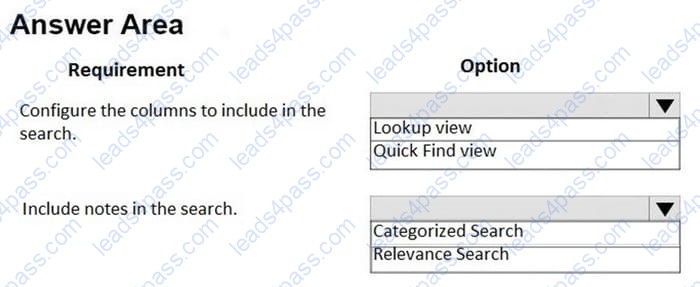
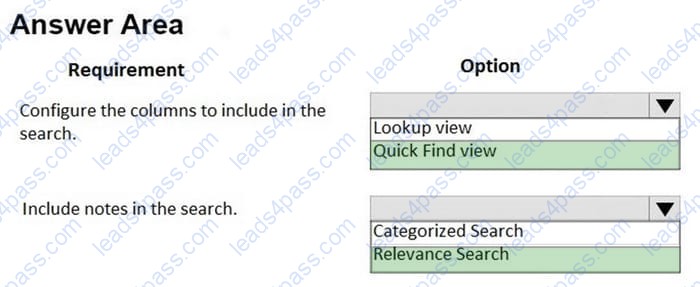
You use Dynamics 365 for Sales. Users search for leads by using email addresses, phone numbers, and comments made in notes.
Users report that the results they obtain when using Global Search are not useful.
You need to configure Dynamics 365 to enable the users to locate leads.
What should you implement? To answer, select the appropriate options in the answer area.
NOTE: Each correct selection is worth one point.
Hot Area:
HOTSPOT
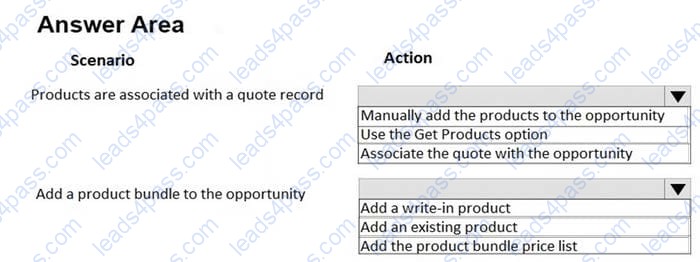
You use Dynamics 365 for Sales.
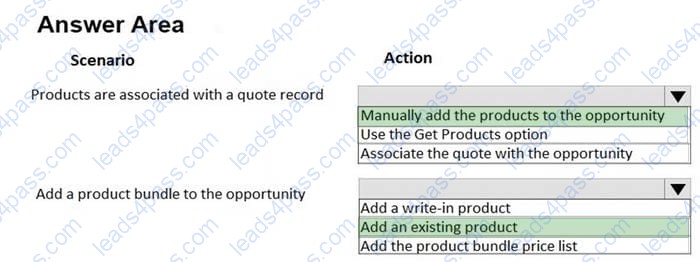
You need to add products to an opportunity.
Which actions should you perform? To answer, select the appropriate options in the answer area.
NOTE: Each correct selection is worth one point.
Hot Area:
HOTSPOT
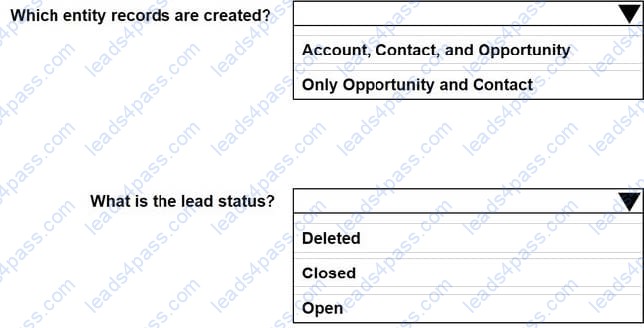
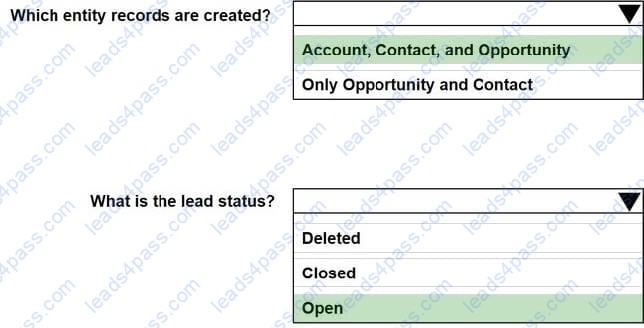
You are converting a lead for the manufacturing manager from Contoso, Ltd. Neither the company nor the manufacturing manager are in your Dynamics 365 system.
You need to ensure that the lead record is correctly converted.
Which values should you use? To answer, select the appropriate options in the answer area.
NOTE: Each correct selection is worth one point.
Hot Area:
HOTSPOT
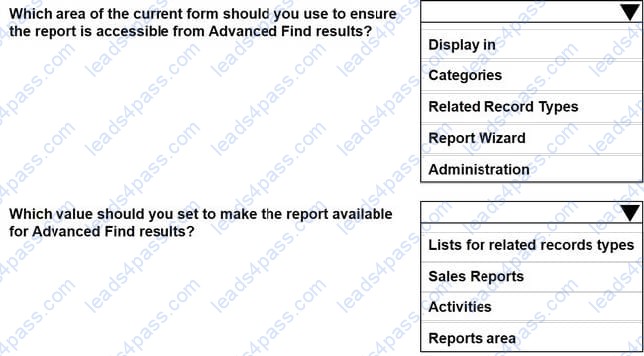
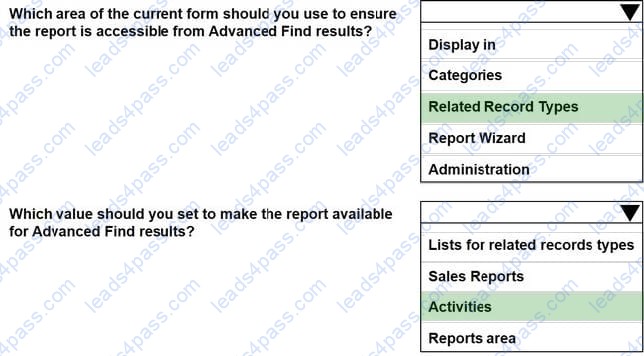
You have a sales report that shows activities for Accounts in the last 30 days. When you run an advanced find query for Accounts with the custom field Heat Level equal to Hot, you are not able to access the report.
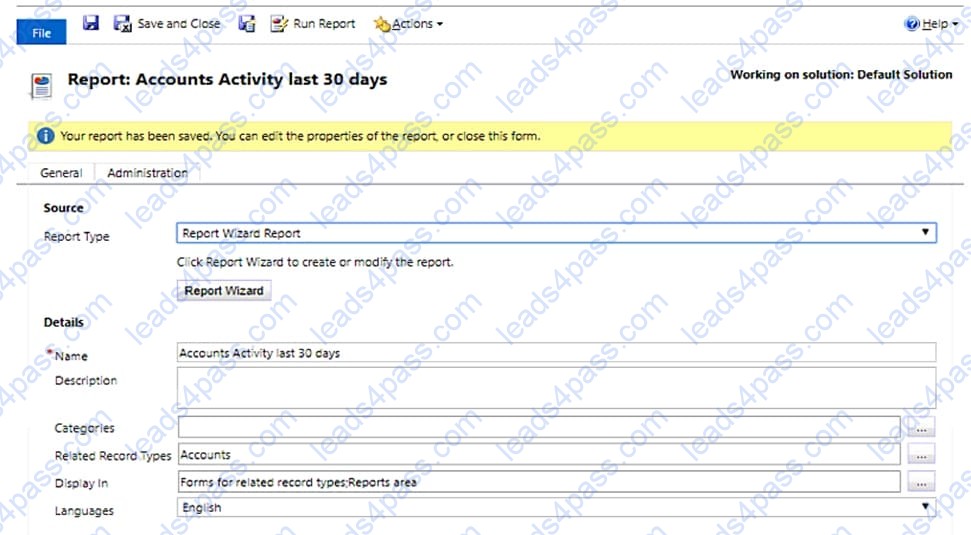
A Form: Report: Account Activity last 30 Days
Use the drop-down menus to select the answer choice that answers each question based on the information presented in the graphic.
NOTE: Each correct selection is worth one point.
Hot Area:
DRAG DROP
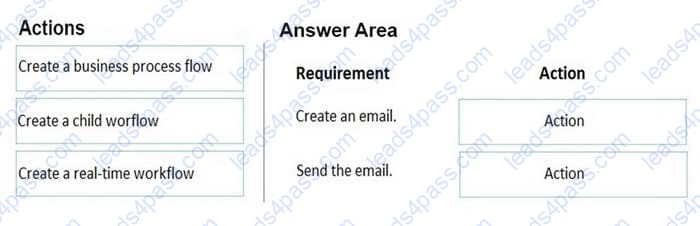
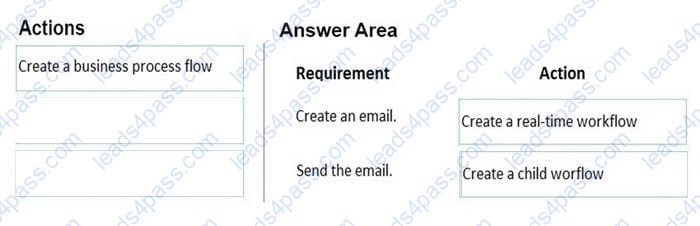
You manage the Dynamics 365 environment for Contoso, Ltd. A rule automatically creates a lead associated with an email when an email is sent to sales@contoso.com.
You need to ensure that the marketing manager receives an email each time an email request is sent to sales@contoso.com.
How should you configure the rule? To answer, drag the appropriate actions to the correct requirements. Each action may be used once, more than once, or not at all. You may need to drag the split bar between panes or scroll to view
content.
NOTE: Each correct selection is worth one point.
Select and Place:
Note: This question is part of a series of questions that present the same scenario. Each question in the series contains a unique solution that might meet the stated goals. Some question sets might have more than one correct solution, while others might not have a correct solution.
After you answer a question, you will NOT be able to return to it. As a result, these questions will not appear in the review screen.
A company uses Dynamics 365 Sales.
You create a playbook to send documents to new sales managers.
You need to configure the system to record all activity associated with each playbook.
Solution: Create a Power Automate flow to track the activities.
Does the solution meet the goal?
A. Yes
B. No
Note: This question is part of a series of questions that present the same scenario. Each question in the series contains a unique solution that might meet the stated goals. Some question sets might have more than one correct solution, while others might not have a correct solution.
After you answer a question, you will NOT be able to return to it. As a result, these questions will not appear in the review screen.
A company uses Dynamics 365 Sales.
You create a playbook to send documents to new sales managers.
You need to configure the system to record all activity associated with each playbook.
Solution: Enable the playbook in Playbook settings.
Does the solution meet the goal?
A. Yes
B. No
A company uses Dynamics 365 Sales.
You need to email a quote to a customer.
Which user interface option should you use?
A. Assign
B. Share
C. Form Editor
D. Print Quote for Customer
You manage Dynamics 365 Sales.
A sales representative must identify and track internal support resources. The resources may assume different roles for each opportunity.
You need to display the support resources with the appropriate role in the opportunity. What should you do?
A. Add a new access team.
B. On the System Settings sales tab, add the new custom roles in the Sales Team Roles list.
C. Add a new connection role.
D. On the Opportunity form, select the sales team subgrid, open the properties, and add the new custom roles.
E. Add a new relationship role.
A company uses Dynamics 365 Sales.
A user cannot find the option to view activities in the Kanban view or rearrange the activities.
You need to make the Kanban view available to the user.
What should you do?
A. Add the user to the correct security role.
B. Create a new system view.
C. Add the control to the Activity table.
D. Instruct the user to create a personal view.





All rights are reserved by
leads4pass.com. Any changes, copy or trademarks abuse will be
regarded as infringement.
leads4pass.com will reserve the right to pursue accountability.
Copyright © 2004-
2026 leads4pass.com.