
MO-100 Online Practice Questions and Answers
In the ‘’Event Package’’ section, insert a footnote to the right of the heading. Enter the footnote text ‘’Includes digital files.’’
A. See the Solution below.
B. PlaceHolder
C. PlaceHolder
D. PlaceHolder
Set the line spacing to 1.4 lines for the entire document.
A. See the solution below.
B. PlaceHolder
C. PlaceHolder
D. PlaceHolder
In the ‘’Top Sellers’’ section, continue the numbering of the list at the top of the second column, so the list items are numbered from 1 through 6.
A. See the solution below.
B. PlaceHolder
C. PlaceHolder
D. PlaceHolder
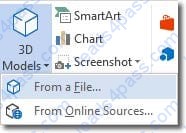
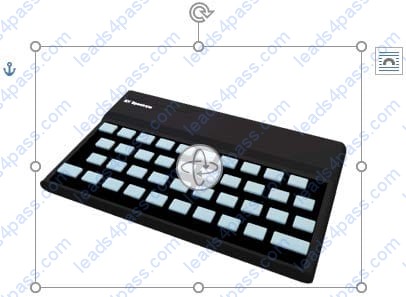
In the ‘’Favorite dinosaurs’’ section, in the blank paragraph at the end of the page, use the 3D Model feature to insert the Triceratops from the 3D objects folder. Position the model in Line with Text.
A. See the solution below.
B. PlaceHolder
C. PlaceHolder
D. PlaceHolder
At the end of the documents, change the line spacing of the last two paragraphs to exactly 14 pt.
A. Check the solution below.
B. PlaceHolder
C. PlaceHolder
D. PlaceHolder
The owner of Margie's Travel has asked you to finish formatting an event flyer. Add a 3 pt DarkBlue, Accent1 Box page border to the whole documents.
A. Check the solution below.
B. PlaceHolder
C. PlaceHolder
D. PlaceHolder
In the " Fill Material" section, resize the table so that each column is "2.2" ('5.59 cm") wide.
A. See the Solution below.
B. PlaceHolder
C. PlaceHolder
D. PlaceHolder
You work for Contoso Pharmaceuticals. You are creating a report that describes a new medicine.
Check the document for accessibility issues.Correctthe table-related issue reporting in the inspection results by using the first recommended action.
Do not fix other reporting issues.
A. See the Solution below.
B. PlaceHolder
C. PlaceHolder
D. PlaceHolder
Use a Word feature to replace all instances of " Woodgrove Basic" with Woodgrove Plus":
A. See the Solution below.
B. PlaceHolder
C. PlaceHolder
D. PlaceHolder
In the "Checking Accounts' section, in the dark blue text box, insert the text "Anytime Account Access".
A. See the Solution below.
B. PlaceHolder
C. PlaceHolder
D. PlaceHolder





All rights are reserved by
leads4pass.com. Any changes, copy or trademarks abuse will be
regarded as infringement.
leads4pass.com will reserve the right to pursue accountability.
Copyright © 2004-
2026 leads4pass.com.