
98-383 Online Practice Questions and Answers
HOTSPOT
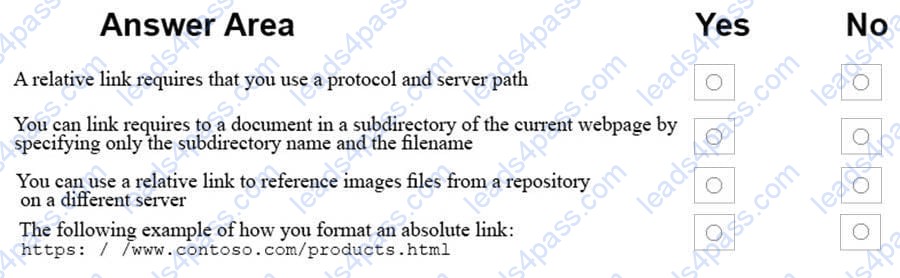
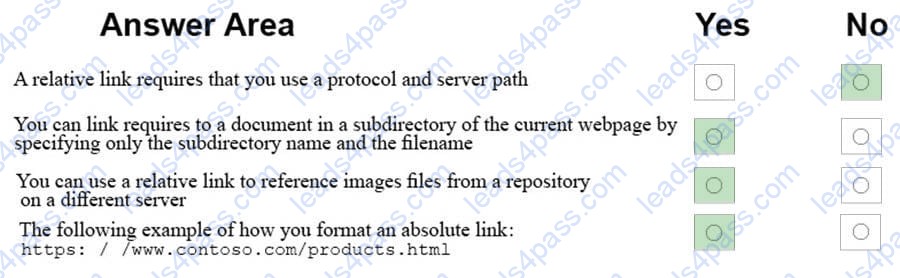
For each of the following statements, select Yes if the statement is true. Otherwise, elect No.
NOTE: Each correct selection is worth one point.
Hot Area:
HOTSPOT
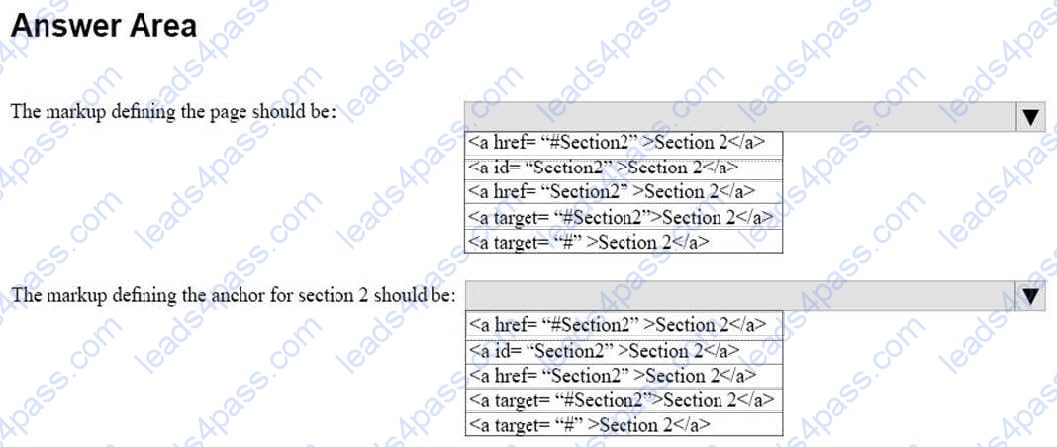
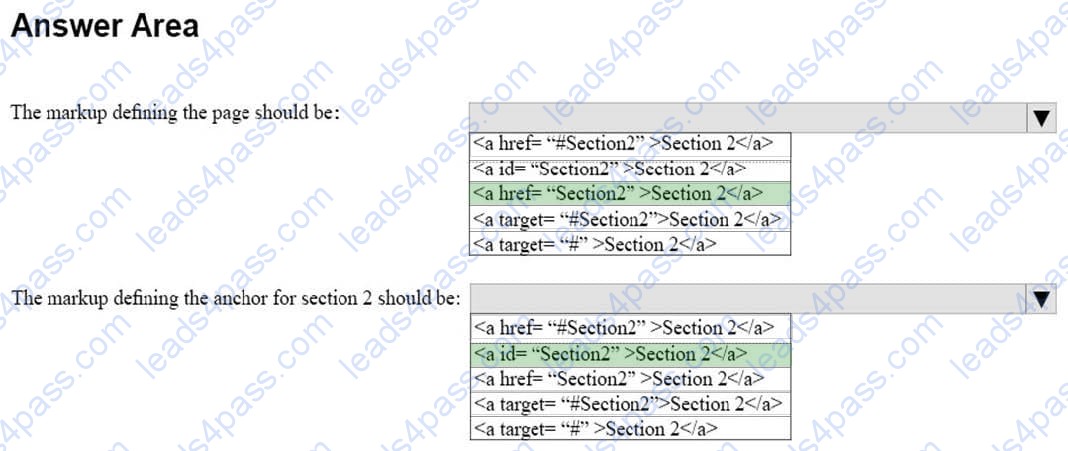
You are creating an HTML document that contains an essay with two sections.
You need to make it easy for the user to navigate from the top of the document to section 1.
How should you complete the markup? To answer, select the appropriate markup segments in the answer area.
NOTE: Each correct selection is worth one point.
Hot Area:
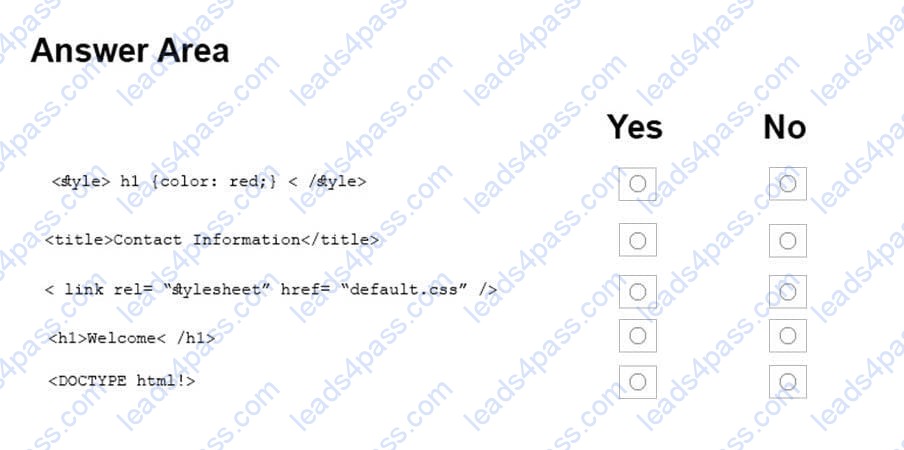
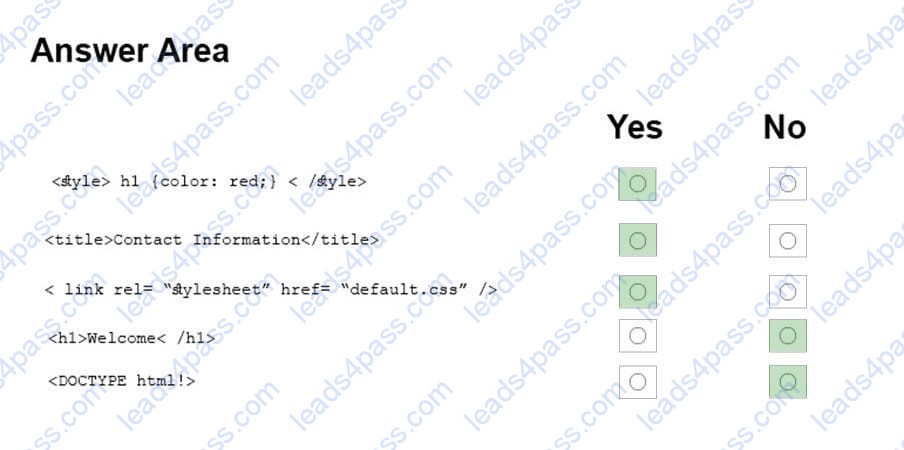
HOTSPOT
For each of the following markup segments, select Yes if the HTML element belongs in the head block. Otherwise, select No. NOTE: Each correct selection is worth one point.
Hot Area:
DRAG DROP
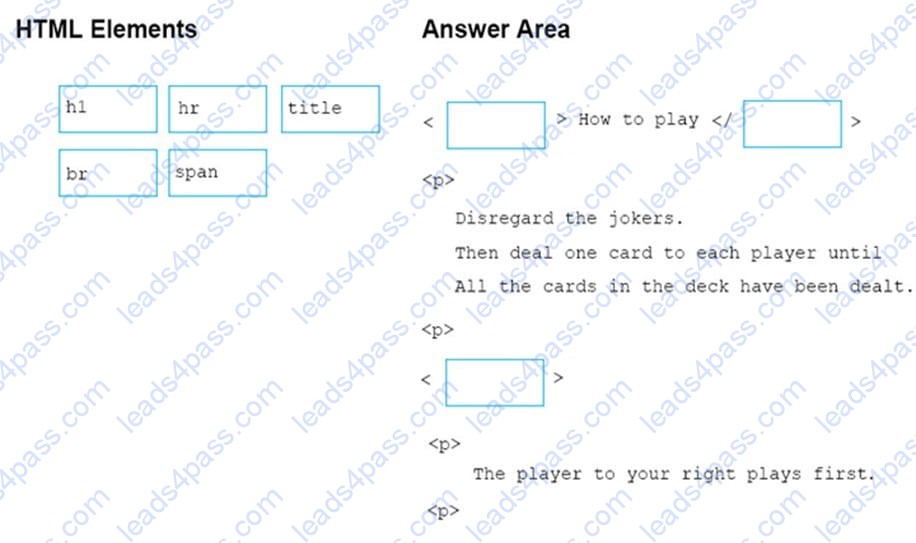
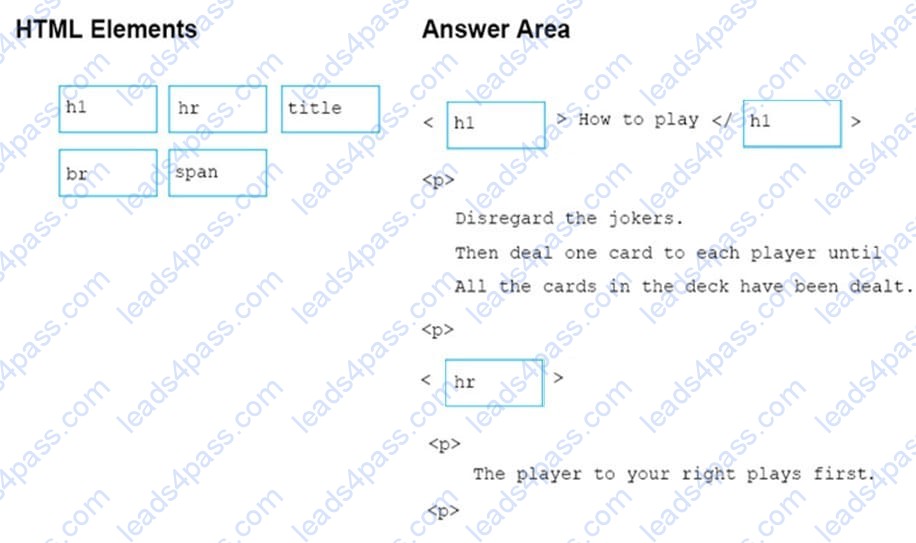
You are creating an HTML page that displays a how-to guide for a card game. You want to use the browser's default style sheet. You need to display the following content:
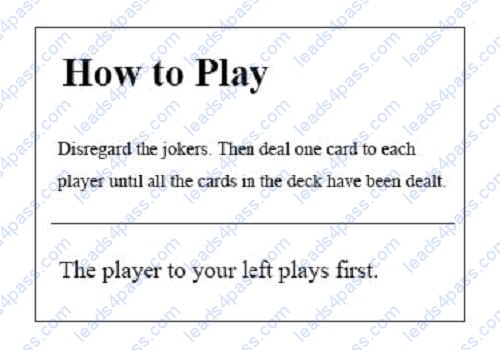
How should you complete the markup? To answer, drag the appropriate HTML elements to the correct locations. Each element may be used once, more than once, or not at all. You may need to drag the split bar between panes or scroll to
view content.
NOTE: Each correct selection is worth one point.
Select and Place:
DRAG DROP
You are creating a page on your personal website to display your family portrait. You need to make sure that browsers display the text Family Portrait before the photo is downloaded.
How should you complete the markup? To answer, drag the appropriate markup segment from the column on the left to its correct position on the right. Each markup segment may be used once, more than once, or not at all. You may need to
drag the split bar between panes or scroll to view content.
Select and Place:


DRAG DROP
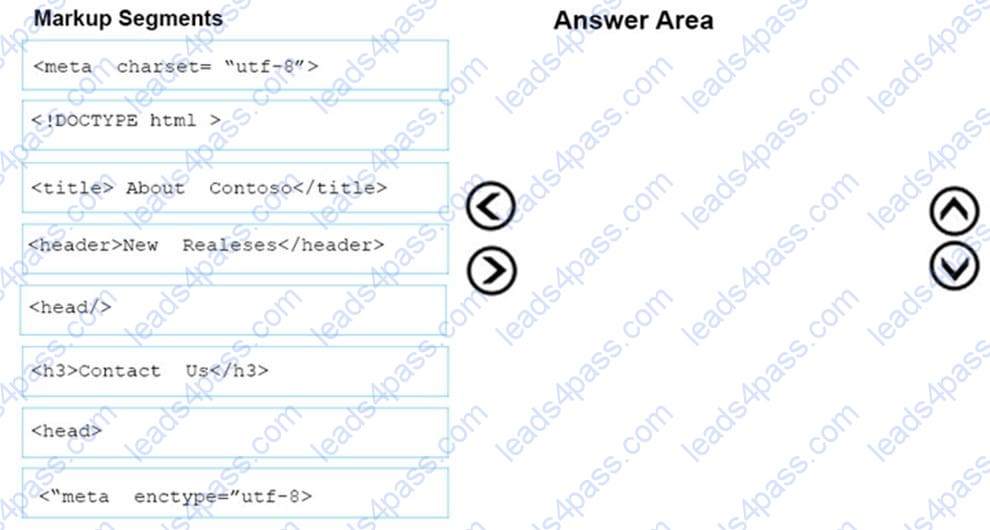
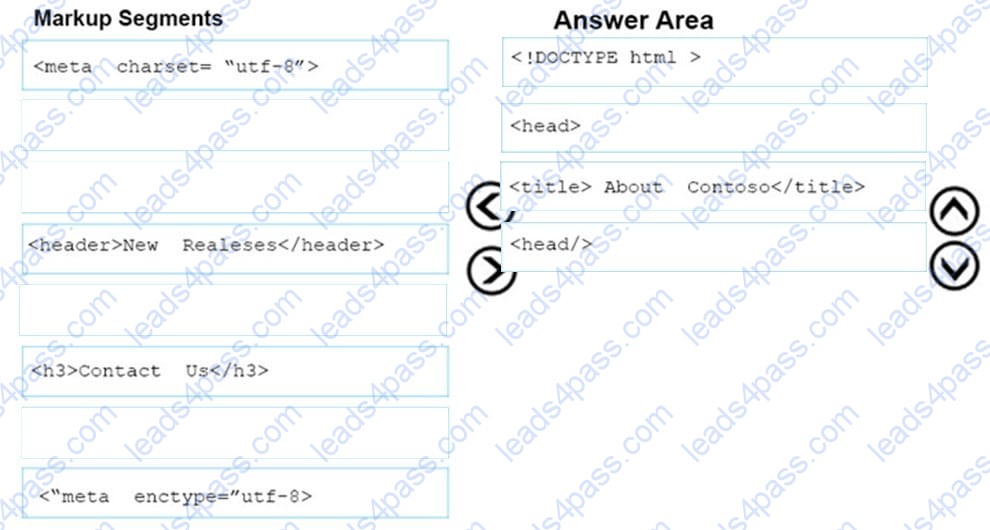
You are designing a webpage for Contoso by using HTML.
You need to create content for the head section.
Which four markup segments should you use? To answer, move the appropriate markup segments from the list of markup segments to the answer area and arrange them in the correct order.
NOTE: More than one order of answer choices is correct. You will receive credit for any of the correct orders you select.
Select and Place:
DRAG DROP
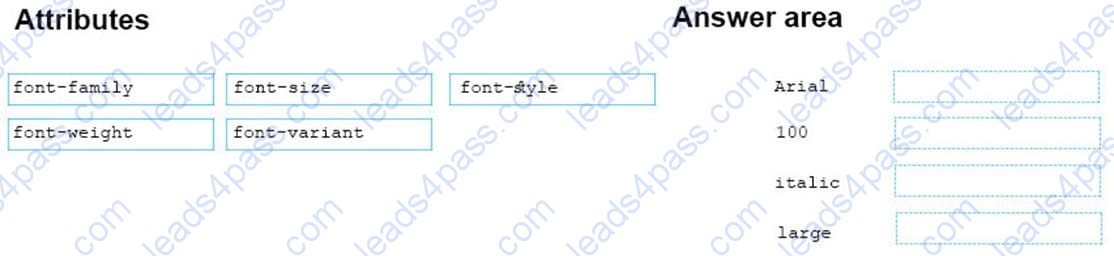
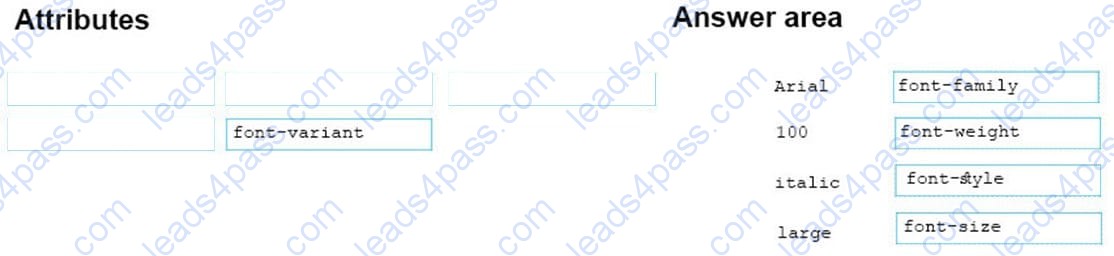
You are defining CSS classes to style text in your HTML document. You need to format section titles to look like the following example:
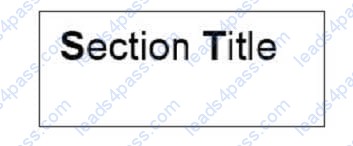
Which CSS attributes should you use to define each setting? To answer, drag the appropriate attribute from the column on the left to its setting on the right. Each attribute may be used once, more than once, or not at all.
Select and Place:
DRAG DROP
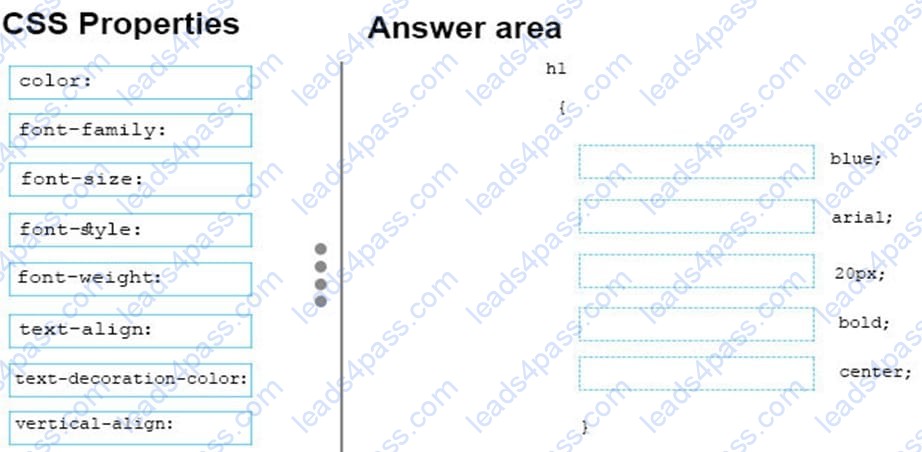
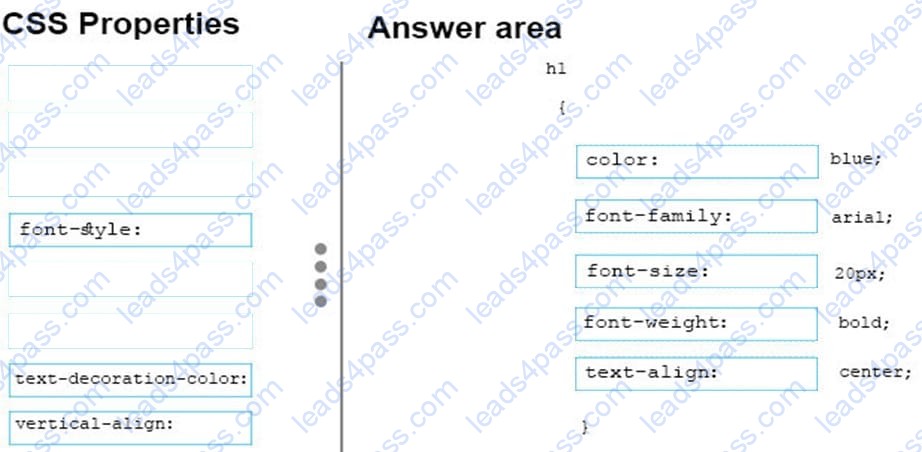
You need to create a stylesheet that will cause all h1 header text to appear in blue, using the Arial font with a size of 20 pixels. The text should always be bold and center-aligned.
How should you complete the code? To answer, drag the appropriate CSS property to the correct locations. Each property may be used once, more than once, or not at all. You may need to drag the split bar between panes or scroll to view
content.
Select and Place:
DRAG DROP
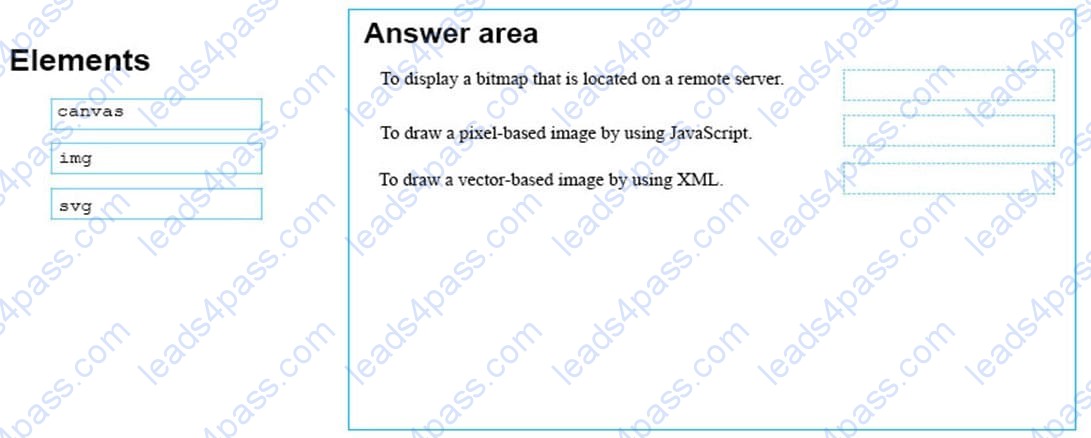
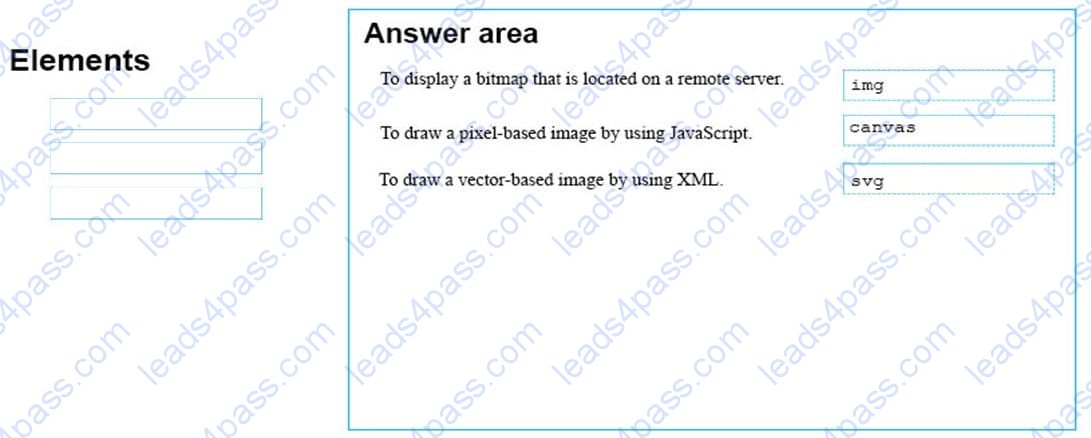
You are designing a website that displays graphics.
You need to determine whether to use img, svg, or canvas elements.
When should you use each element? To answer, drag the appropriate element from the column on the left to its use on the right.
Each element may be used once, more than once, or not at all.
Select and Place:
This question requires that you evaluate the underlined text to determine if it is correct.
Static positioning places an element at specific coordinates relative to the page or the element's container.
Review the underlined text. If it makes the statement correct, select "No change is needed." If the statement is incorrect, select the answer choice that makes the statement correct.
A. No change is needed
B. Absolute positioning
C. Relative positioning
D. Fixed positioning





All rights are reserved by
leads4pass.com. Any changes, copy or trademarks abuse will be
regarded as infringement.
leads4pass.com will reserve the right to pursue accountability.
Copyright © 2004-
2026 leads4pass.com.