
77-420 Online Practice Questions and Answers
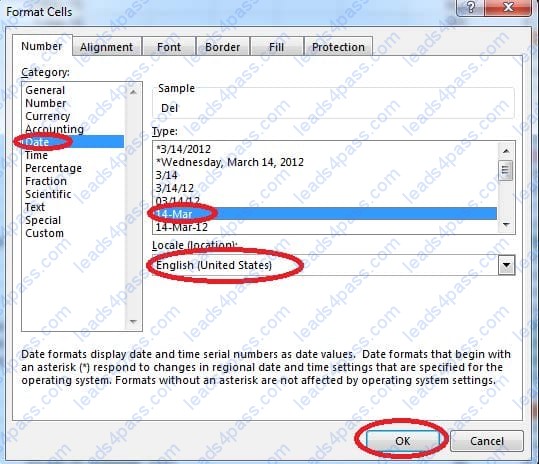
Modify the cell format to date.
Cell range C2:S2
Type: 14-Mar
Locale (location): English (United States)
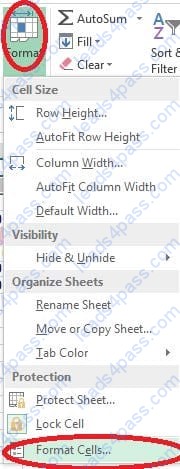
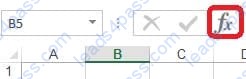
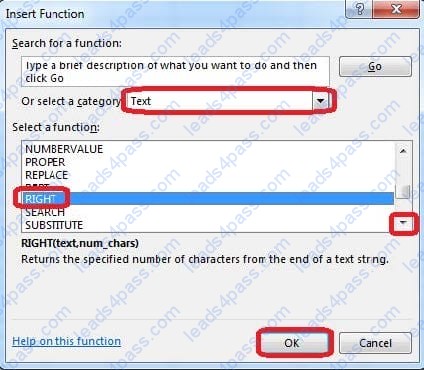
Insert the instructor's name for column B.
Cell B5.
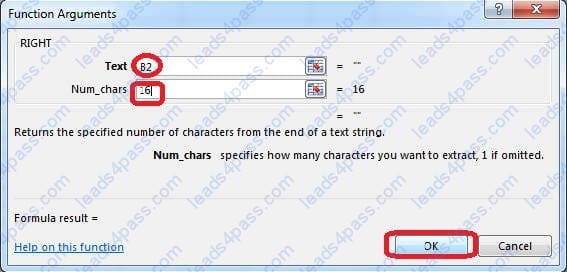
Use Function RIGHT
Text: B2
Absolute reference
Num_chars: "16"
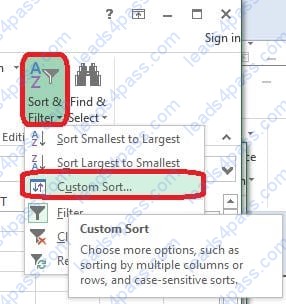
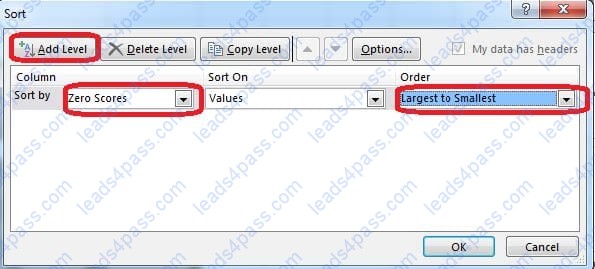
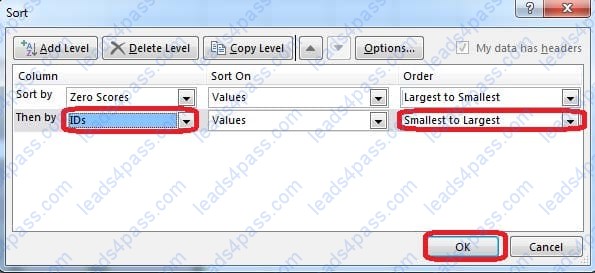
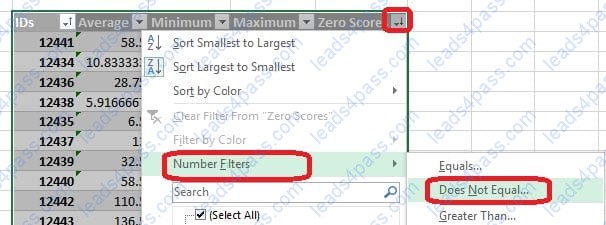
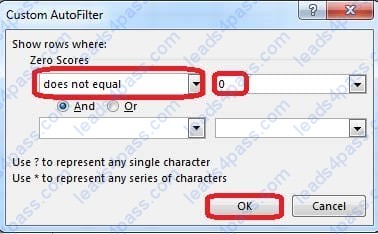
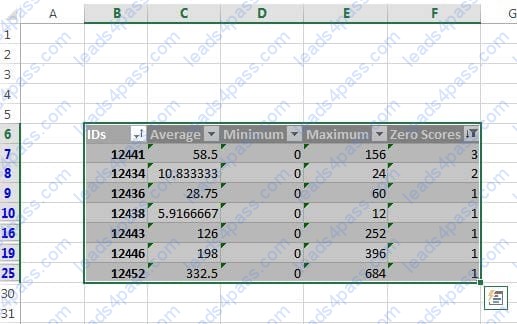
Sort and Filter. Apply a sort and a filter to the table. Cell range B6:F29 Sort Column Zero Scores Order Largest to Smallest Column IDs Order Smallest to Largest Filter Hide students ids with no zero scores.
Formula.
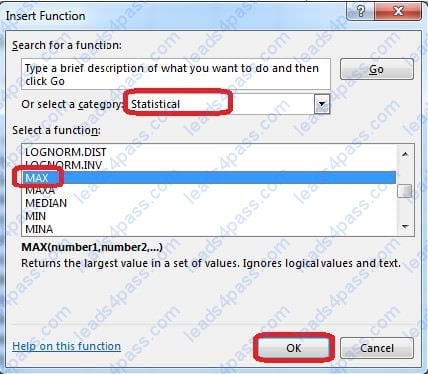
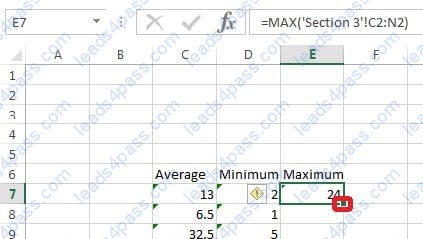
Find themaximum homework score for each student.
Cell rangeE7:E29
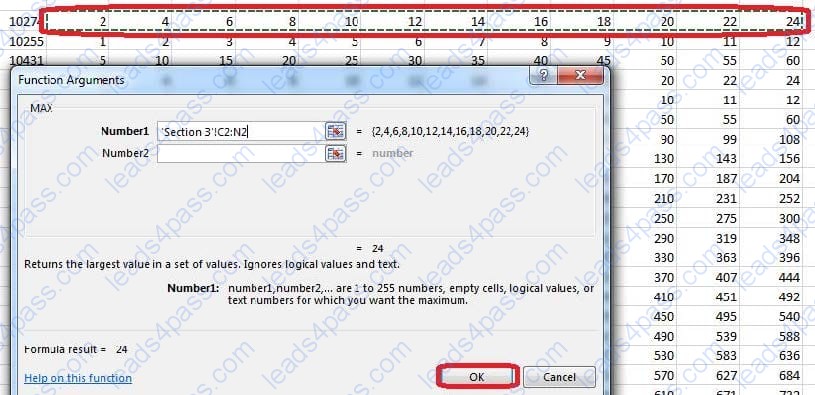
Use Function MAX
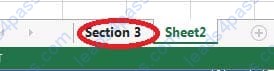
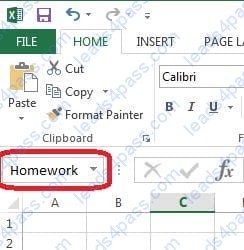
Number 1: maximum homework score for each student on "Section 3" worksheet.
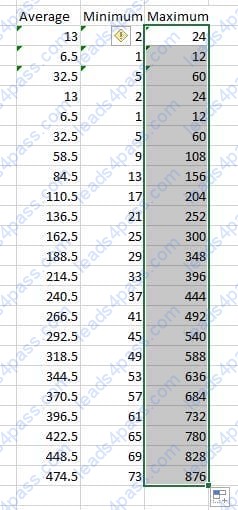
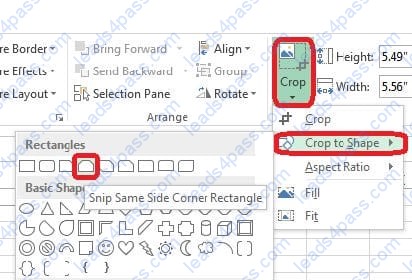
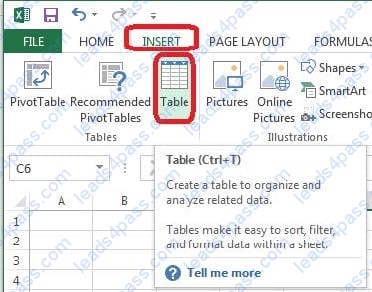
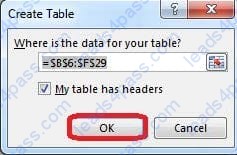
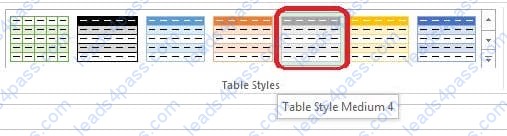
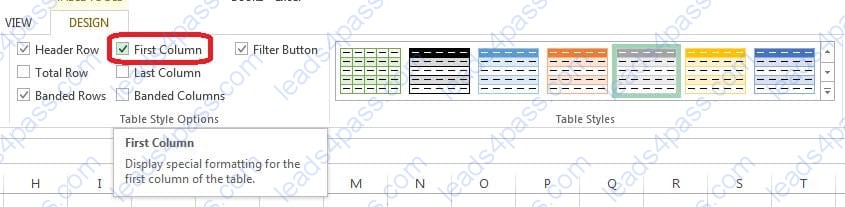
Create a table and modify the table styles. Cell range B6:F29 Table Style Medium 4 Enable the First Column Style





All rights are reserved by
leads4pass.com. Any changes, copy or trademarks abuse will be
regarded as infringement.
leads4pass.com will reserve the right to pursue accountability.
Copyright © 2004-
2026 leads4pass.com.